 2Vibe
One player short for the game?
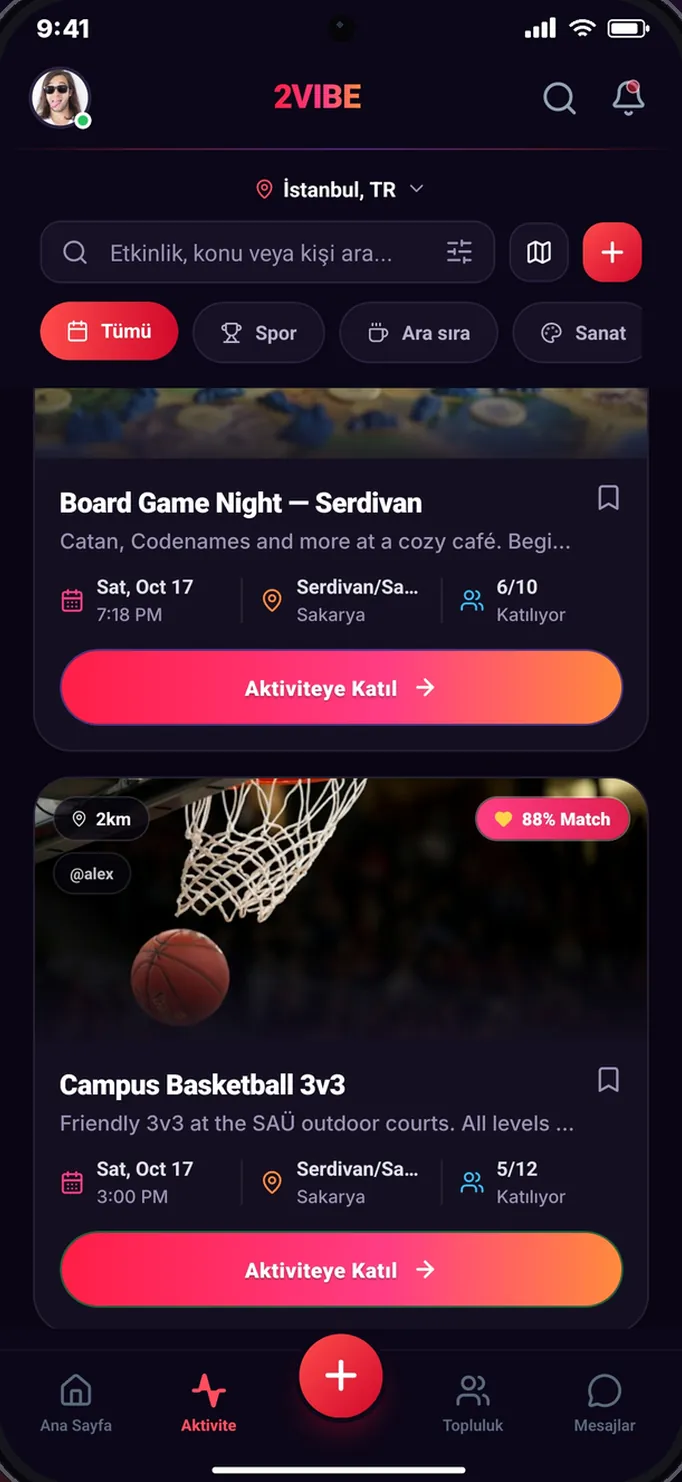
Kick-off is getting close and you’re one short. Instead of messaging every group chat, post the game on 2Vibe so players nearby can see it on the map and join. Looking for a game? See what’s on around you.


- Free
- No ads
- 18+ only
How it works
Fill your team in three steps
- 01
Post the game
Add the time, the pitch and how many players you need. Set a limit; once the team is full, no one else can join.
- 02
Players join
People nearby see the game on the map and in the list, and join with one tap. If you turned on group chat, everyone who joins is added to it.
- 03
Meet on the pitch
Sort out bib colors and how to split the pitch fee in the group chat. Afterwards, follow each other and set up the next game together.
Tips
Tips for hosting a game
- Book the pitch first: 2Vibe doesn’t rent pitches. You sort out the pitch; 2Vibe helps you find the players.
- Say up front how you’ll split the pitch fee. 2Vibe doesn’t take payments; you settle it among yourselves.
- Mention the level in the description: a casual kickabout or a fast-paced game? Everyone should know what to expect.
- Leave one extra spot for a substitute so a last-minute dropout doesn’t ruin the game.
- Warm up before you start, and bring water and a spare pair of shoes.
FAQ
Frequently asked questions
How do I find players for a football game?
Create an activity on 2Vibe with the time, the pitch and how many players you need. People nearby see it and join; once the limit is reached, no one else can join.
Can I book a pitch through 2Vibe?
No. 2Vibe doesn’t offer pitch booking or payments. You book the pitch; 2Vibe brings the players together.
I don’t have a team. Can I join a game on my own?
Yes. Look at games around you on the map or in the list and join one with a free spot. Introduce yourself and your position in the group chat.
What else is there?
Your next plan is on 2Vibe.
Get the app and see what’s happening around you this week.

Scan with your phone’s camera